The AI workspace for industrial automation

Understand any Studio 5000 project in minutes.

Chelix reads a Rockwell L5X export, indexes every program, routine, tag, and data type, and answers questions with the exact rung it is reading pinned in view.

Free to try · No install · Your .L5X never leaves the browser

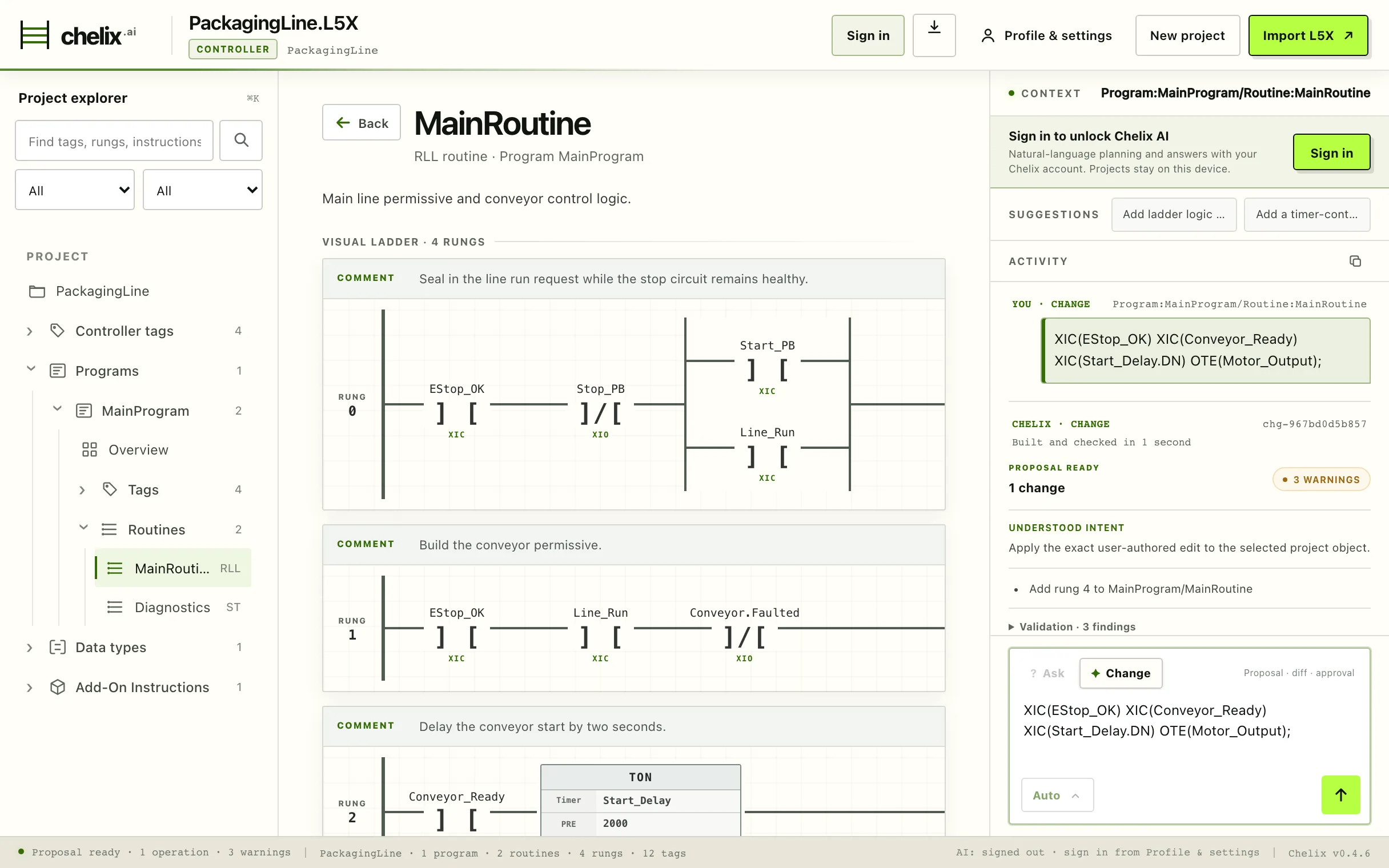
The Chelix workspace: project explorer, Studio-style visual ladder for MainRoutine, and the Chelix AI panel holding a validated change proposal with three warnings
Runs locallyNo controller connectionEvery edit reviewed & approvedSHA-256 audit recordsIndependent of Rockwell
Byte-identicalYour revision, processor & structure preserved on export
17 instructionsTyped, validated authoring catalog — XIC to GEQ
6 check layersSyntax, instruction, type, scope, cross-ref & policy
0 uploadsParsing & analysis run in your browser, not our cloud
The problem

Software developers got Cursor. Controls engineers are still tracing logic rung by rung.

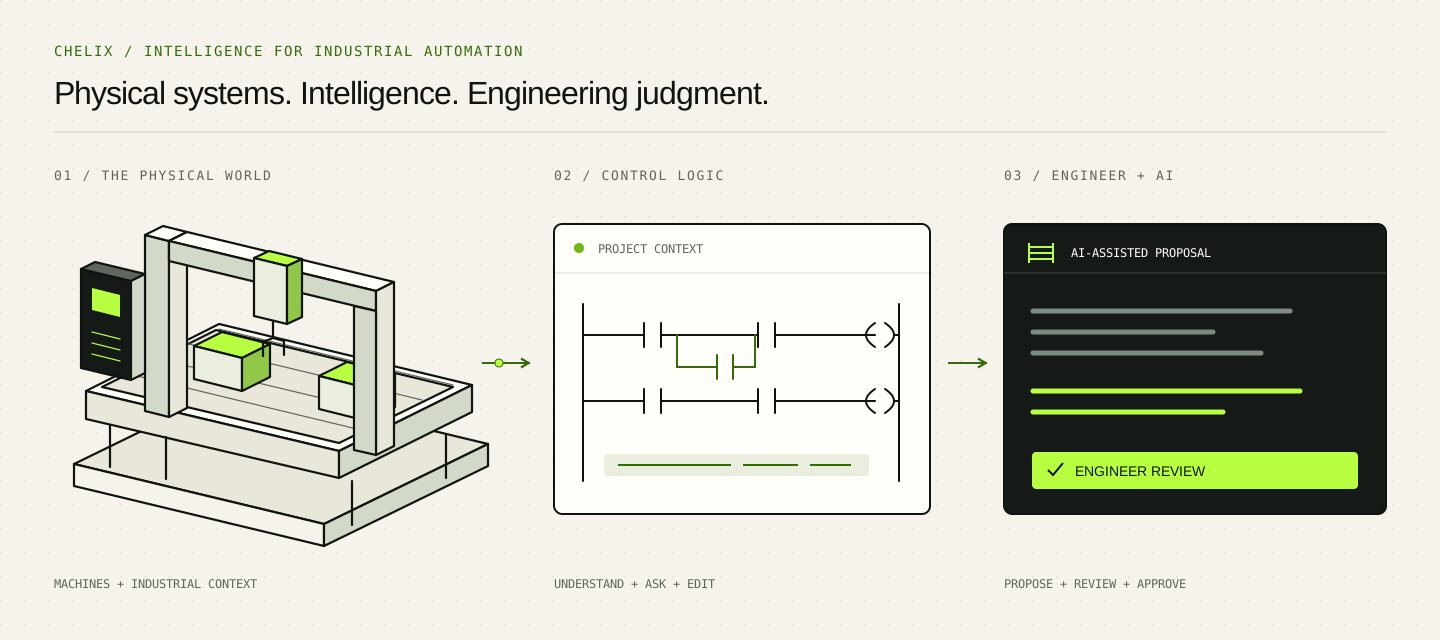
Modern AI tooling transformed how software gets written, then stopped at the factory floor. Chelix carries it the rest of the way, starting with the worst part of the job: understanding logic you didn’t write.

You didn’t write it
The project arrived from a retired engineer, an acquired plant, or a contractor three jobs ago. There is no documentation, and there is nobody left to ask.
Tracing eats the day
A fault traces back through seal-ins, cross-references, and nested routines. Studio 5000 shows one rung at a time; the full picture has to live in your head.
Onboarding takes weeks
Every new hire relearns the same undocumented line the hard way: scrolling ladder until it starts to make sense.

Built for controls engineers, system integrators, contractors, students, and the new hire who just inherited the line.

First run

Upload an L5X. Understand it before your coffee’s cold.

The full first-use experience is free: no install, no license transfer, no risk to your live project.

  1. 01

    Upload an L5X

    Drop in a Studio 5000 export. Large, unfamiliar, and undocumented is fine. Nothing to install.

  2. 02

    Explore the project

    Chelix indexes the controller: programs, routines, tags, data types, and how they reference each other.

  3. 03

    Ask questions

    Plain English in, grounded answers out, pinned to the exact program, routine, and rung being read.

  4. 04

    Propose changes

    Describe an edit. Chelix builds a typed change proposal, validates it, and shows you the diff.

  5. 05

    Export to Studio 5000

    Download a clean .L5X with your revision, processor, and structure intact.

Capabilities

Understanding first. Editing when you’re ready.

General-purpose AI writes plausible text. Chelix reads the structure, constraints, and consequences of real control logic, and shows its work.

01Project structure

See the whole controller at once

One view of the export: Studio 5000 revision, processor, programs, routines, rungs, tags, data types, and add-on instructions. Import diagnostics tell you up front whether anything in the file needs attention.

Chelix controller overview of a Studio 5000 revision 35.01 export for a 1756-L83E processor, with counts for programs, routines, rungs, tags, data types and AOIs
Rev 35.01 · 1756-L83EImport diagnostics: clean

02Logic tracing

Ladder you can actually read

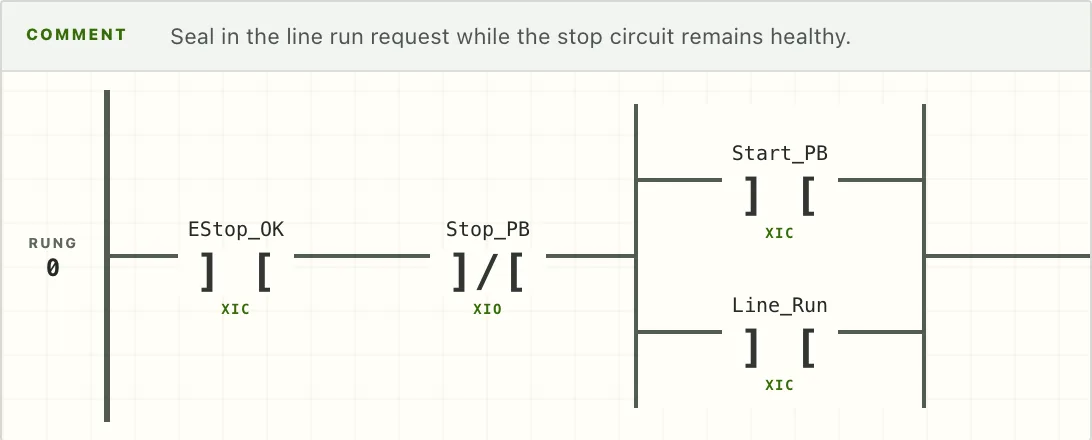
Rungs render Studio-style, with contacts, coils, branches, timers, and the original comments. Search across the project for a tag and land on every rung that reads, writes, or seals it in.

A Studio-style rendered seal-in rung: EStop_OK and Stop_PB contacts with a Start_PB / Line_Run branch driving the Line_Run coil
MainRoutine · Rung 0Seal-in: Line_Run

03Grounded Q&A

Answers pinned to your logic

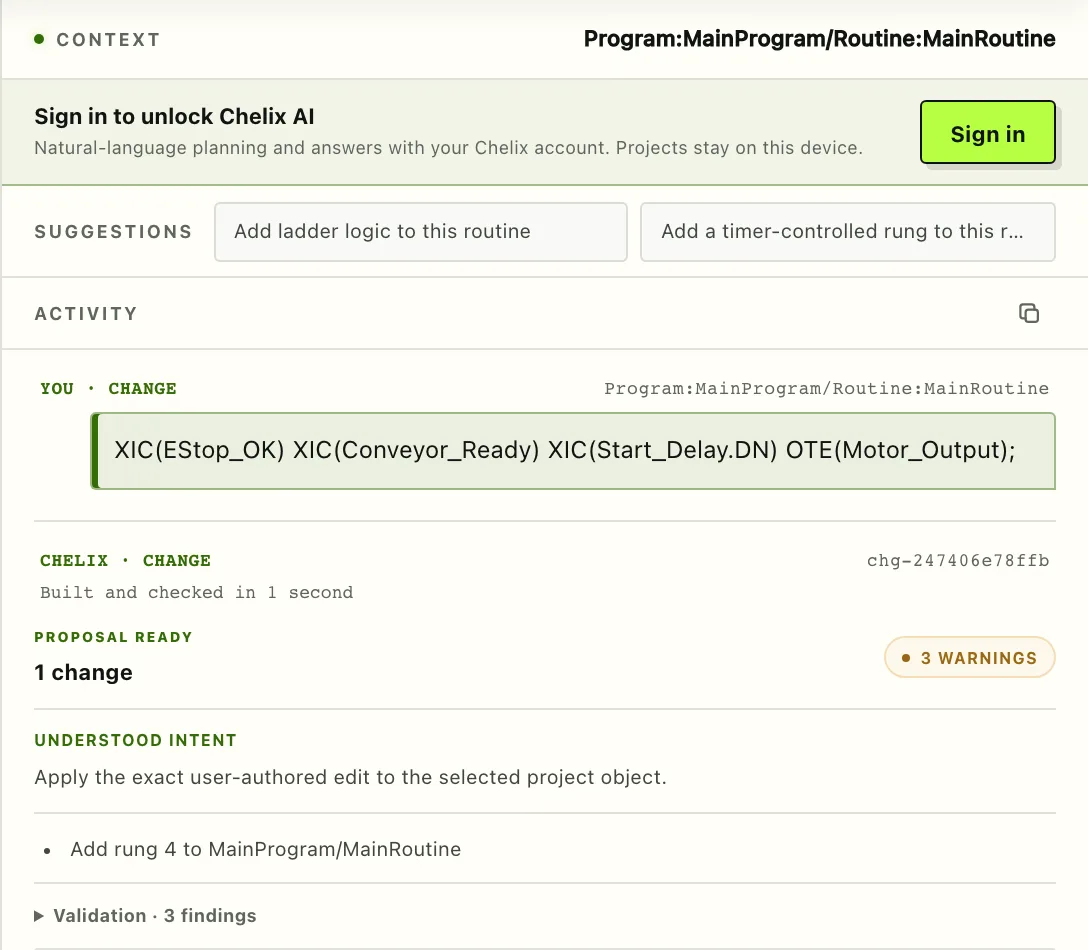
The assistant works inside a context you can see: the exact program and routine it is reading is pinned above every exchange. Questions get answers about your rungs and your tags, not generic PLC advice.

The Chelix AI panel with context pinned to Program MainProgram / Routine MainRoutine, a submitted change request, and a proposal ready with three warnings
MainProgram / MainRoutineContext pinned

04Reviewed edits

Changes arrive as proposals

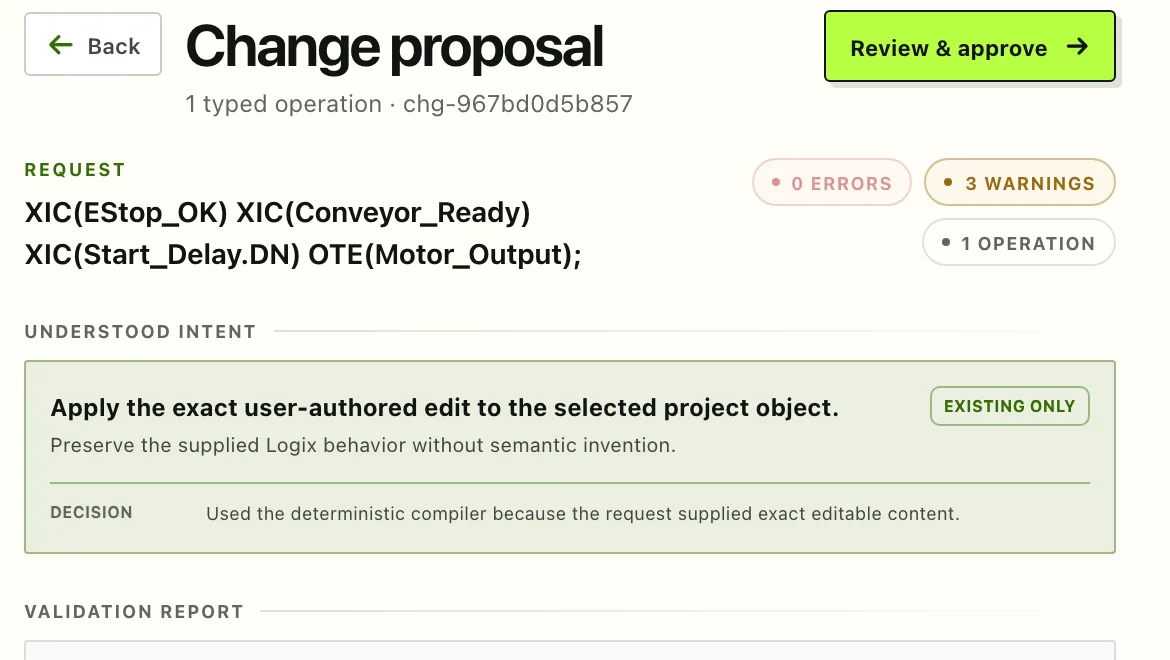
A request becomes a typed operation with an understood intent, a validation report, and a diff. The proposal is built and checked in seconds, then it waits for you.

A Chelix change proposal header: one typed operation, zero errors, three warnings, with the Review & approve action
1 typed operation0 errors · 3 warnings
Controlled changes

Edits are proposals. Your judgment is the gate.

When you ask for a change, Chelix compiles it into typed ladder operations, runs layered validation, and pins the result to a proposal. Nothing lands until you have read the diff and approved it.

safety-related-descriptionalias-writenew-duplicate-coil

  • Layered validationSyntax, instruction, type, scope, cross-reference, and policy checks run on every proposal before you see it. Findings are named and classified, not buried in a log.
  • Object-linked diffsReview each operation as before/after ladder, as a structured operation, and as raw Logix source, with a link to the object it touches.
  • Deliberate approvalApproving binds the complete diff to the exact source you reviewed. If the project changes underneath, a stale approval no longer applies.
  • Audit-ready exportEvery approved change lands in a chained audit record, and the export downloads your .L5X together with that audit trail.
A Chelix change proposal under review: named validation warnings, a before-and-after ladder diff for the new rung, and the approve gate in the assistant panel
chg-fac2cda8f823 · built and checked in 1 second 0 errors · 3 warnings
Direction

Starts with understanding. Built to become the whole workbench.

Chelix begins with the pain you feel today. Editing is here; collaboration and version control for control logic come next; the destination is one modern workspace for automation work on any vendor’s platform.

NowUnderstand · Edit
NextCollaborate · Version control
DirectionVendor-agnostic workbench

Built by someone who has stood on the factory floor and shipped modern software. Industrial reliability, without the industrial-software feel.

Try it free

Bring the next unfamiliar project here first.

Upload an L5X, explore it, question it, and export it back to Studio 5000. If it saves you an afternoon of tracing, it has paid for itself; it is free anyway.

Upload an L5X

Free to try · No install · Your .L5X in, a clean .L5X out